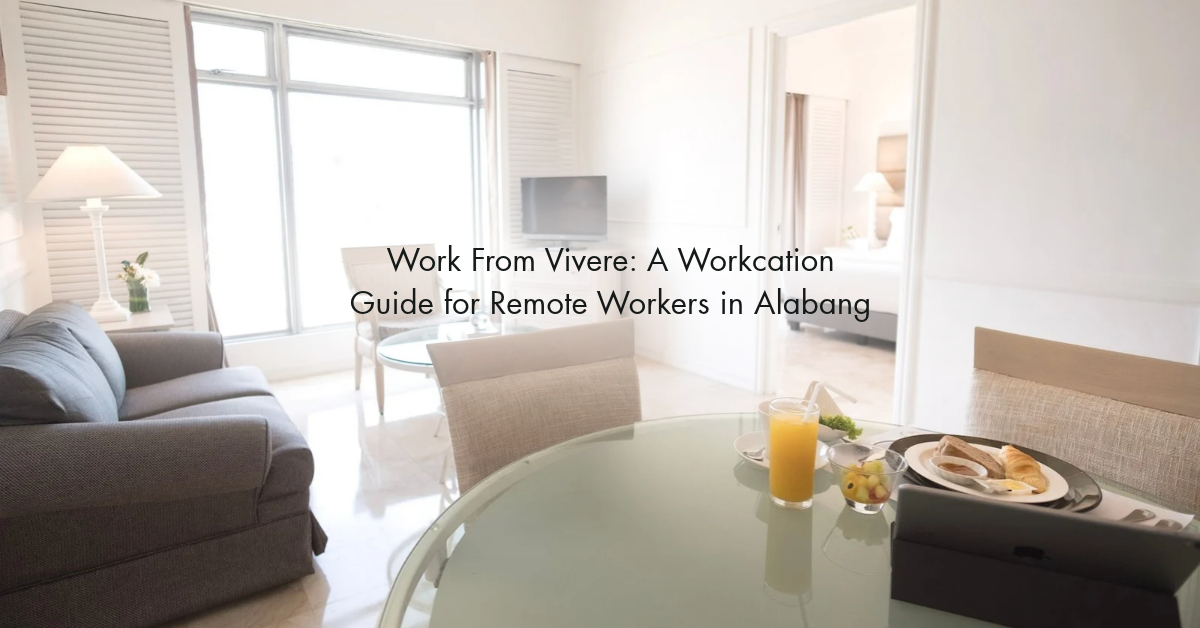
Same laptop, new view
Working from home sounded like a dream, until home became the office, the canteen, and the gym all at once. Same four walls, same corner, same Wi-Fi drama.
Sound familiar? You don’t need to quit your job to get a change of scenery. You just need a workcation: a few days where you work normally, but from somewhere that makes you want to open your laptop.
Here’s how to plan a productive, refreshing workcation at Vivere Hotel in Filinvest City, Alabang.
Why Vivere works for remote workers

- A business district address. Filinvest City is home to offices, cafés, and green spaces, so the whole area runs on a “get things done” rhythm.
- Reliable Wi-Fi. Video calls without the “can you hear me?” moments.
- A real desk. Your back will thank you after a week of working from the sofa.
- Food without the commute. Breakfast and coffee refills are an elevator ride away at The Nest Dining in the Sky.
- Easy access. Close to SLEX and Skyway, so you’re not stuck in traffic if you need to go to the office for a meeting.
A day in the life of a Vivere workcationer
The secret to a great workcation is structure: work hours that feel like work, and breaks that feel like vacation.
| Time | What to do |
|---|---|
| 7:00 AM | Morning walk around Filinvest City before the heat kicks in |
| 8:00 AM | Unhurried breakfast at [hotel restaurant name] |
| 9:00 AM | Deep-work block at your room desk; phone on Do Not Disturb |
| 12:00 PM | Lunch out: try a café or restaurant nearby |
| 1:30 PM | Meetings and calls, ideally with a view |
| 4:00 PM | Merienda break and a quick coffee refill |
| 5:30 PM | Log off. Actually log off. |
| 6:00 PM | Pool time or a sunset stroll |
| 7:30 PM | Dinner, then early sleep in a bed that isn’t also your office chair |
Quick poll: Are you a morning deep-work person or a late-night grind person? Tell us in the comments!
Your workcation packing checklist
- Laptop and charger (obviously, but double-check)
- Extension cord or universal adapter
- Noise-cancelling earphones for calls
- A portable laptop stand
- Pocket Wi-Fi as a backup, just in case
- Swimsuit, because breaks are mandatory
- Comfy clothes for work, one decent top for video calls
Save this list for your next trip, or send it to your workmate who’s been “needing a break” for three months now.
5 tips to actually get work done (and still rest)

- Set your hours before you check in. Decide your log-in and log-off times and tell your team.
- Stay at least 3 nights. Day one is for settling in; the magic starts on day two.
- Book midweek. Tuesday to Thursday stays are usually quieter and can come with better rates.
- Separate work and rest spaces. Desk is for work, bed is for sleep. No laptops under the blanket.
- Plan one “reward” per day. A swim, a massage, a dessert. Something to look forward to after your last call.
Your turn: What’s the #1 thing that kills your productivity when working from home? Drop it below. We’ll share the funniest answers on our page!
Workcation FAQs
Is the Wi-Fi strong enough for video calls? Yes. Free Wi-Fi in all rooms and public areas, and typical speed.
If your work depends on it, bringing a pocket Wi-Fi as backup is always a smart move.
Do the rooms have a work desk? Yes all of our rooms have a working desk, If you need a bigger workspace, mention it when booking so we can recommend the right room.
Do you have long-stay or workcation packages? Message us for current rates on stays of 3 nights or more.
Can I request early check-in or late check-out? Yes, subject to availability.
Is parking available? Yes, but it’s first come first serve basis.
How do I get there? Vivere Hotel is in Filinvest City, Alabang, Muntinlupa, with access via SLEX and the Skyway.
Ready to upgrade your office?
Same work, better view, and no one borrowing your charger. Your next workcation starts here.
Book your workcation → viverehotel.com.ph
Know a WFH friend who needs this? Share this post. And tell us : how many days would your dream workcation be?